
Deep research, automatically
Every article starts with live web research, cited sources, competitor angles, and a practical content brief.
Perplexity Sonar Pro or Google Gemini
Grow organic traffic on autopilot. Daily published articles to your website and backlink building even while you sleep.
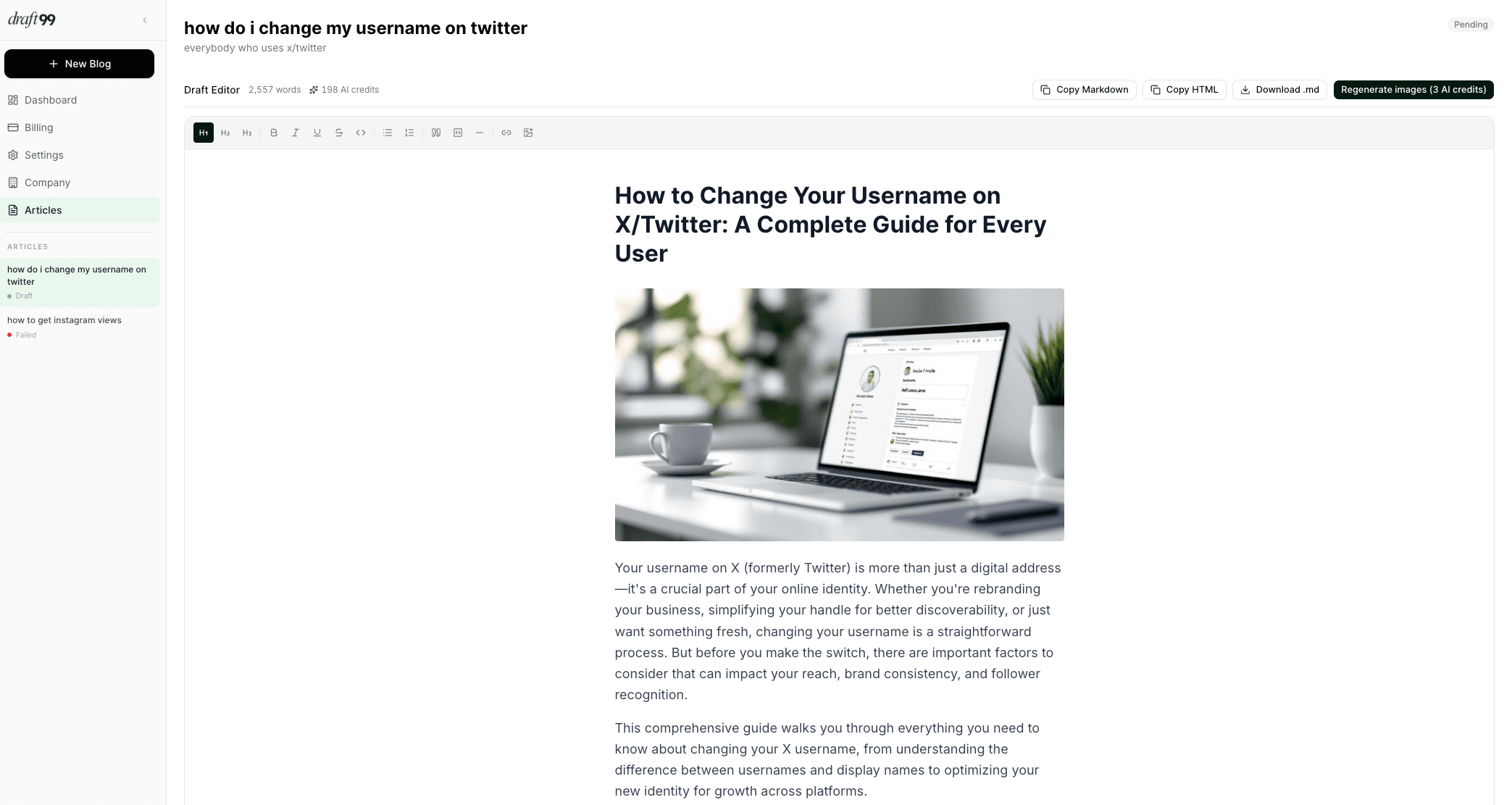
How it works
Five automated stages bring the research, structure, writing, visuals, and review into one calm workflow.
Choose Perplexity or Gemini to map sources, competitor angles, and the questions your article needs to answer.
Claude turns the research into a structured, long-form article with your positioning and target length already built in.
Generate article images, run the SEO and fact-check pass, then add the final 1% that makes the piece unmistakably yours.
Product workspace
Generate useful angles from your company context, choose the one that matters, and let the pipeline handle the mechanical work. You stay in control of the argument and the voice.
Create your first article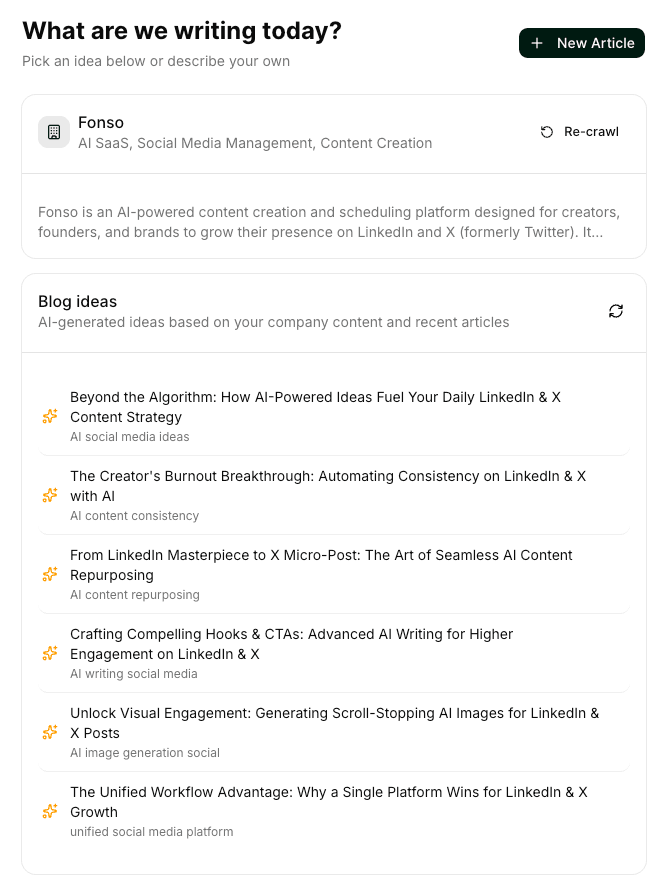
Features
rankmode handles the repetitive 99% so your time goes into the insight, story, and opinion readers actually remember.
Every article starts with live web research, cited sources, competitor angles, and a practical content brief.
Perplexity Sonar Pro or Google Gemini
rankmode studies what is already ranking, then uses target word count, heading patterns, and semantic gaps to shape the draft.
Research → brief → 2,000+ word draft
Highlight any passage and rewrite, expand, shorten, simplify, or change tone without leaving the editor.
Inline, credits-aware editing tools
Generate a hero, social image, and in-article visual for every article without switching to a separate design tool.
Hero, OG, and section artwork
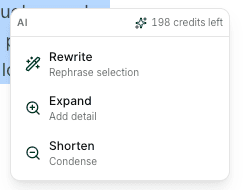
Work in context
Rewrite a sentence, expand an idea, simplify a paragraph, or change the tone directly inside the article editor.
The 99/1 principle
Research, rankings analysis, draft, images, fact-check, and SEO review are ready before you open the editor. Your job is the part no model can supply: your experience, judgment, and edge.
99%
The production work
1%
The part only you can add
Pricing
One credit creates one complete article with research, a full draft, and images. Credits never expire.
Starter
$39
10 credits · $3.90 per article
Growth
$99
30 credits · $3.30 per article
Scale
$239
100 credits · $2.39 per article
FAQ
One credit covers the complete pipeline for one article: live research, a content brief, a full draft of up to 3,000 words, three AI-generated images, and an SEO review scorecard.
Yes. Choose Perplexity Sonar Pro for live web data and cited sources, or Google Gemini for broad synthesis. The article draft is written by Claude.
No. Buy credits when you need them and use them whenever you are ready.
Inside the draft editor, highlight a sentence or paragraph and right-click to rewrite, expand, simplify, shorten, or change its tone without leaving the page.